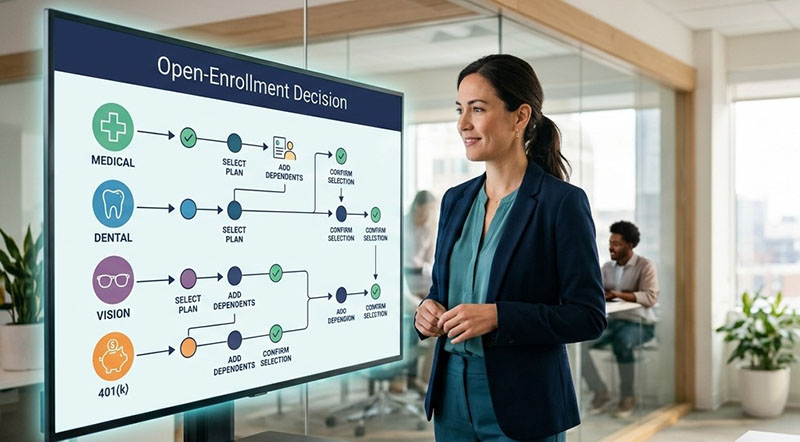
Open enrollment is one of the most important annual moments for HR and benefits teams. It is also one of the most time-sensitive.
Whether this is your first open enrollment in Workday, your team is managing competing priorities, or you are introducing significant rate or plan changes, success depends on more than simply opening an enrollment event.
Employees need accurate information, the configuration needs to work as intended, and benefits, payroll, vendors, and internal stakeholders all need to stay aligned.
These three tips can help your team execute a well-run Workday open enrollment with more confidence and less risk.
1. Start with a Detailed Plan and Work Backward from Go-Live
Open enrollment has a firm deadline, which means waiting for every detail to be finalized before building a plan can create unnecessary pressure later.
Start by identifying your enrollment launch date, enrollment window, vendor deadlines, payroll cutoffs, and employee communications schedule. Then work backward to establish milestones for configuration, testing, review, and approvals.
This planning step is especially important if you are making changes to benefit plans, carriers, coverage options, eligibility rules, or rates. Even a seemingly simple update can affect downstream processes, including payroll deductions, enrollment instructions, integrations, and employee communications.
A strong project plan should clarify:
- Which plans, rates, or coverage levels are changing
- Which groups of employees are affected
- Who owns configuration decisions and approvals
- What needs to be tested before launch
- When employee communications and manager enablement need to happen
- Which deadlines are fixed, and where the team has flexibility
Confirm that all offered coverage types are included in the enrollment event and map old plans to replacement plans when a provider or plan is changing. That level of upfront detail can help prevent avoidable enrollment issues once the window opens.
2. Test the Employee Experience, Not Just the Configuration
A configuration may look correct on paper but still create confusion or errors when employees move through the enrollment process. That is why testing should cover both the technical setup and the real employee experience.
Before going live, validate the open enrollment event in the sandbox that mimics your live tenant. Review plan eligibility, rates, deductions, dependent and beneficiary workflows, evidence of insurability requirements, confirmation statements, and any integrations with carriers or payroll.
Test a range of real-world scenarios, such as an employee:
- Enrolling for the first time
- Adding or removing a dependent
- Moving from one plan to another
- Who experiences a rate change
- Who must complete a benefit election to avoid a default outcome
- Affected by a new plan, carrier, or eligibility rule
When new plans are introduced, testing becomes even more important. New benefit offerings can create downstream impacts across benefit events, plan setup, payroll deduction codes, leave handling, arrears, and final pay processes.
Take the time to involve key reviewers from benefits, payroll, HRIS, and any other affected teams. A cross-functional review can catch gaps that a configuration-only test might miss.
3. Make Benefits Changes Clear and Easy for Employees to Act On
Even a perfectly configured open enrollment can fall short if employees do not understand what is changing or what they need to do.
Keep communication focused, clear, and timely. Start early with a simple overview of the enrollment timeline and major changes. As launch approaches, provide straightforward instructions, reminders, FAQs, comparison tools, and places employees can go for help.
For significant rate or plan changes, be transparent. Explain what is changing, why it is changing, and what action employees need to take. Whenever possible, use examples and plain language instead of benefits jargon.
Use a mix of communication channels, including:
- Email announcements and deadline reminders
- A central benefits resource page
- Manager toolkits and talking points
- Short videos or live Q&A sessions
- Plan comparison guides
- Targeted messaging for groups affected by specific changes
Get Expert Support for Your Workday Open Enrollment
Open enrollment is too important to leave to chance, especially when your HR team is already stretched thin or your organization is managing meaningful plan and rate changes.
Three Link Solutions has Workday experts who can help take the pressure off your team. From configuration workbook sessions and project planning to build, testing, and launch support, our specialists help organizations prepare for open enrollment with confidence.
Whether you need support for rate changes, new plans, or a more complex benefits transformation, Three Link can help you get your Workday open enrollment done correctly and on deadline.
Rate Changes or Plan Changes?
Make This Year’s Open Enrollment Easy
"*" indicates required fields